Logging a contractor payment
Open the project and tap Payments on Project Home. It splits into Transactions, Parties and Petty Cash.

Payments: Transactions, Parties and Petty Cash. Open Parties to see everyone money moves between on this project. The header shows the project total Receivable on the left and Payable on the right.
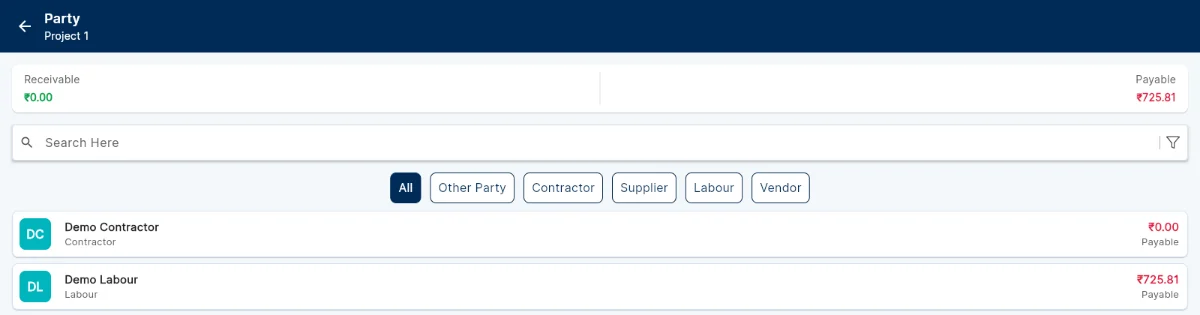
The Party list, with Receivable and Payable totals and a tab per party type. The tabs across the middle filter the list by type: All, Other Party, Contractor, Supplier, Labour and Vendor. Each row shows that party’s outstanding amount and whether it is payable or receivable.
Tap a party to see their transactions and record a payment against them. Because the party came from Master Records, the amount lands against the same party everywhere else it appears.
Use Transactions when you want the project’s payment history rather than one party’s position. The Ledger Report under Reports gives the same information in a form you can review or hand on.