How to create your first project
Sign in and you land on the organisation home. Every project you have access to appears as a tile, alongside the organisation-wide tools: HRMS, Master Records, Central payment, Central store and Central Reports.
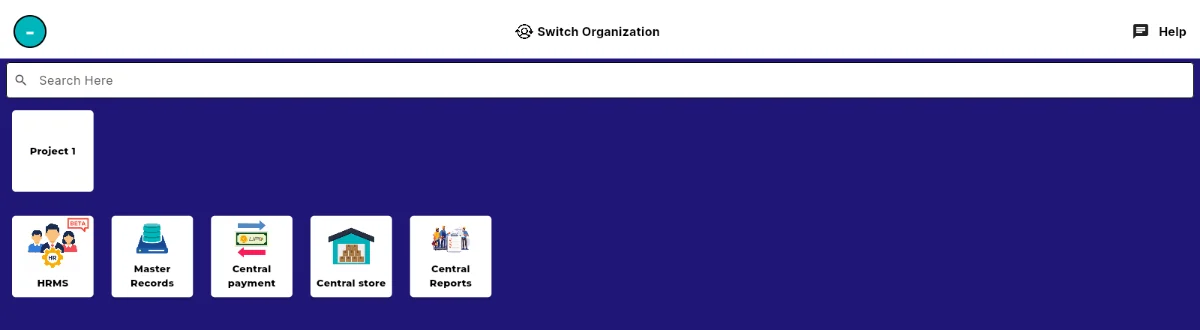
The organisation home, with project tiles above and organisation-wide tools below. Use Search Here at the top to jump straight to a project once you have more than a few. Switch Organization at the top of the screen moves you between organisations if you belong to more than one.
Tap a project tile to open its Project Home. This is the hub for that project, and every module for it sits on this one screen.
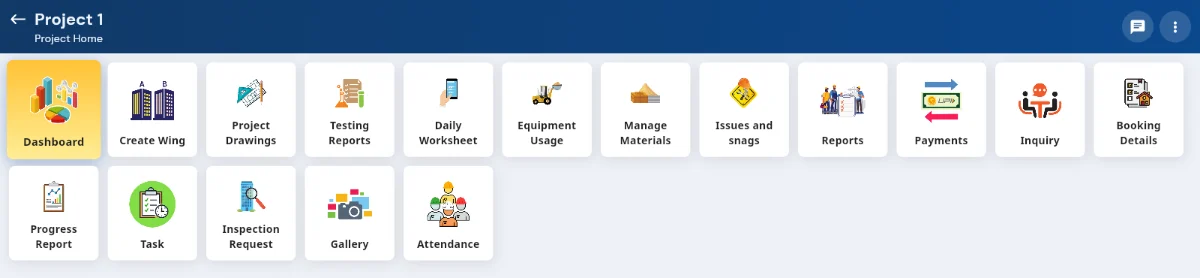
Project Home: Dashboard, Create Wing, Project Drawings, Testing Reports, Daily Worksheet, Equipment Usage, Manage Materials, Issues and snags, Reports, Payments, Inquiry, Booking Details, Progress Report, Task, Inspection Request, Gallery and Attendance. Use Create Wing to divide the project into the wings or blocks you actually build in. Most other modules let you filter by wing afterwards, so it is worth setting these up early.
Before recording any work, add the people and companies you will refer to. Those live under Master Records on the organisation home rather than inside a single project, so they are available to every project at once.