Reading the project dashboard
Open the project and tap Dashboard on Project Home. It opens on Charts & Performance Overview for a date range shown at the top, which you can change.
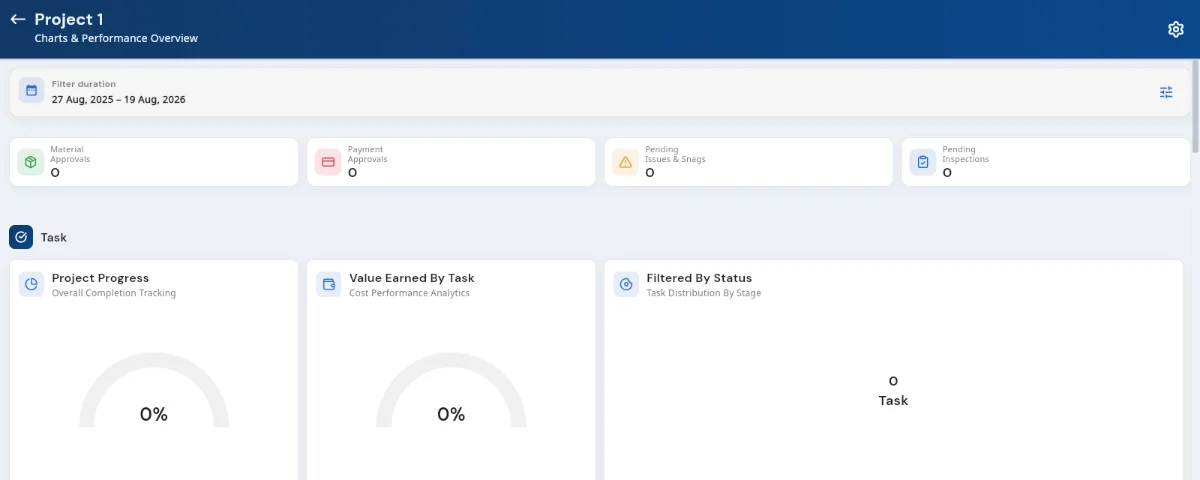
The project Dashboard: approvals awaiting action along the top, then task progress and value earned. The four tiles along the top are the things waiting on someone: Material Approvals, Payment Approvals, Pending Issues & Snags and Pending Inspections. Each is a count, and each opens the list behind it.
The Task band shows Project Progress as overall completion, Value Earned By Task as cost performance, and Filtered By Status as the split across Not Started, In Progress, Delayed and Completed.
Below that, Payments summarises money in and out with the current balance, and lists due payments so nothing sits unnoticed.
For anything more detailed, use Reports on Project Home. It carries Daily Progress, Equipment Usage, Contractor Labour, Department Wise Work, Stock Register, Location-wise Material, purchase and material reports, Ledger, Issue and Snag, Inspection Request, Inquiry and Booking reports.
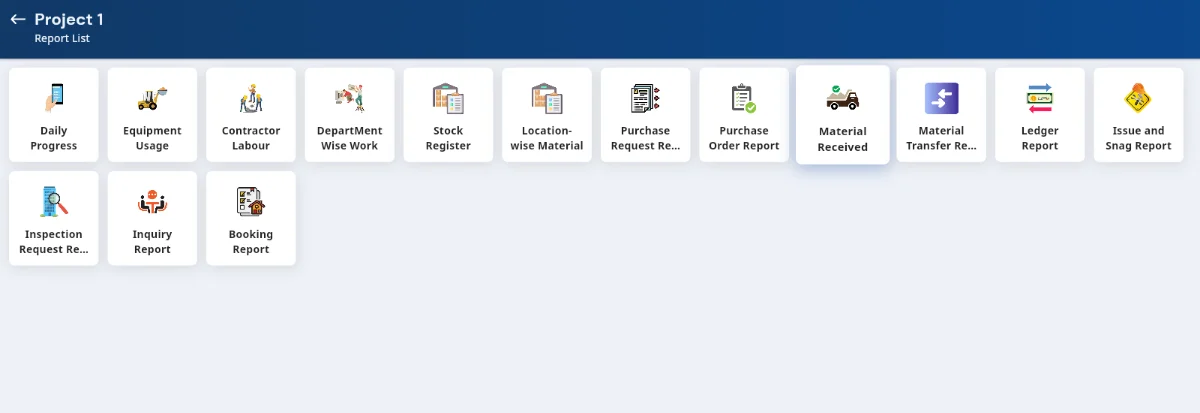
The Report List, with every report available on a project.